




Writing is an essential part of marketing be it writing Instagram captions, product descriptions, or Google ad text. Each shapes your brand’s message and drives engagement.
A strong Instagram caption adds depth to a photo or video, catching attention, giving context, showing personality, and sparking engagement.
We’re going to show you how to write captions for Instagram that drive sales. If you’re a small business looking to advertise online consider our social media advertising services.
9 Tips For Writing Instagram Captions
Here are nine tips for writing an effective Instagram caption.
- Tip #1 Write Several Drafts
- Tip #2 Start Strong to Capture Interest
- Tip #3 Use Contextual Captions For Engagement
- Tip #4 Make Your Captions Stand Out Using Emojis
- Tip #5 Use Hashtags
- Tip #6 Include A Call To Action
- Tip #7 Know Your Audience
- Tip #8 Keep It Short And Concise
- Tip #9 Proofread And Edit
1. Write Several Drafts
We write good Instagram captions by drafting multiple captions to start with. Don’t rush to post. Jot down a few caption ideas and take your time deciding.
Since Instagram’s algorithm favors engagement over timing, aim for captions that encourage followers to like, share, or comment. A good caption can elevate the value of your post and help you keep your target audience interested.
2. Start Strong to Capture Interest
Instagram captions allow up to 2,200 characters, but only the first 80–100 are visible on the Instagram feed, so it’s essential to start strong. Craft an attention-grabbing first line that invites users to click “more“.
Write an intriguing question or add a call to action (CTA) right away. This strong start encourages viewers to engage further, keeping them interested in your full message.
3. Use Contextual Captions For Engagement
While Instagram posts focus on images and videos, captions can add valuable context. Use captions to clarify details that might not be obvious from the image alone.
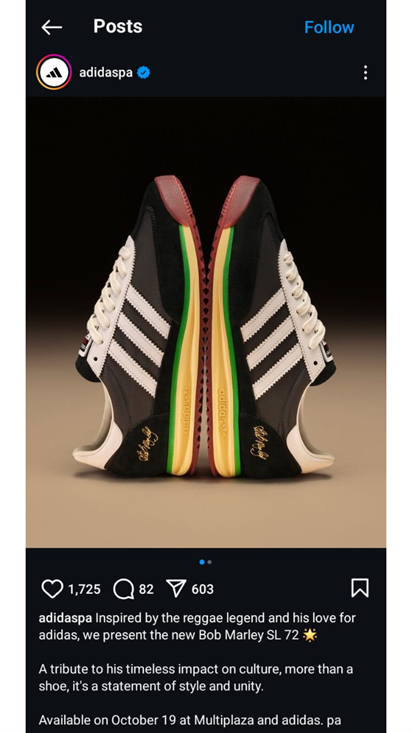
Captions can tell a story, give background information, or offer a unique perspective that enhances the visual content, making it more engaging.
4. Make Your Captions Stand Out Using Emojis
Emojis convey a lot with just a symbol, adding both color and emotion to your Instagram captions. They catch viewers’ attention and make captions interesting, encouraging engagement.

5. Use Hashtags
Hashtags in Instagram captions boost the discoverability of your posts, helping to reach a bigger audience interested in specific topics.
Add relevant hashtags to increase visibility and attract new followers, but avoid cluttering the beginning of your caption. Place hashtags at the end unless they naturally fit into the text. 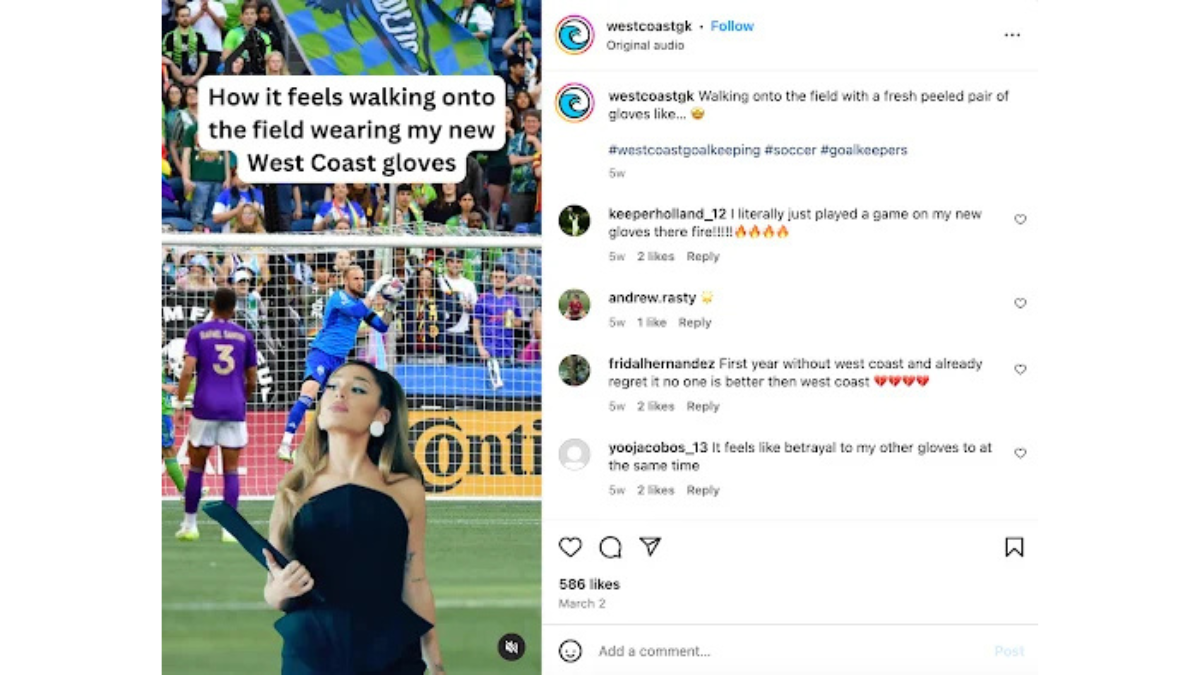
This keeps the main content focused on engaging viewers. Instagram suggests relevant hashtags as you type to help you find ones that suit your content.
6. Include A Call To Action
Adding a call to action (CTA) is a simple way to boost engagement on your Instagram posts. Common CTAs include phrases like “comment below,” or “hit the link in bio.”
Using action verbs encourages followers to interact instead of just scrolling past your content. For example, you can say, “Double-tap if you find this funny” or “Share your story in the comments.”

Here are a few ideas for effective CTAs:
- Ask a question: Encourage followers to comment on their experiences. This not only boosts engagement but can also provide insights for future content.
- Direct to a link in your bio: Since clickable links are limited to the bio, you can refer to this link in your Instagram captions for promotions, blog posts, or contests.
Pro tip: Use shortened links with UTM tracking codes to monitor how much traffic comes from your Instagram page.
7. Know Your Audience
Understanding your audience is key to writing Instagram captions. Consider who your followers are, how they connect with your brand, and their interests.
Create captions that speak directly to your audience’s pain points and goals as they relate to your brand’s product or service. This personal touch can help followers feel a stronger connection to you or your brand.
8. Keep It Short And Concise
Short captions are generally more effective for keeping your audience engaged on Instagram. Users typically scroll quickly and aren’t looking to read lengthy texts.

Focus on using clear and impactful language to convey your message effectively. Aim to get straight to the point and capture attention without overwhelming your audience.
9. Proofread And Edit
Before posting, take a moment to proofread your Instagram caption. Many business owners make mistakes with run-on sentences and grammar. While you don’t need to meet formal writing standards, your captions should still be clear and easy to understand.
Avoid long paragraphs, as they can make your message less effective. Focus on cutting unnecessary words and reviewing your text to ensure it conveys your point well. A quick edit can improve readability and enhance your overall communication.
Why Are Instagram Captions Important?
Instagram captions are important because they help followers build trust in brands, give context to the visuals in the post, and ultimately aid in converting followers into customers.
Well-crafted Instagram captions can encourage your followers to engage with your posts through comments, likes, or by following a call to action.
This engagement not only strengthens your relationship with your audience but also improves the visibility of your posts. Captions that resonate with users can inspire them to share your content, increasing your reach and exposure.
How To Write Captions That Drive Sales
Let’s look at a few steps for writing Instagram captions that drive sales.
- Step 1: Make your captions customer-oriented
- Step 2: Make your captions concise
- Step 3: Practice good writing
- Step 4: Clarity of message
- Step 5: Follow a successful format
Make Your Captions Customer-oriented
This is an area where most business owners struggle when starting out. Many business owners write captions focused on themselves, their company, or their perks. This does not catch a customer’s attention.
What will grab their attention is something that speaks directly to a goal they’re trying to achieve or a pain point they have.
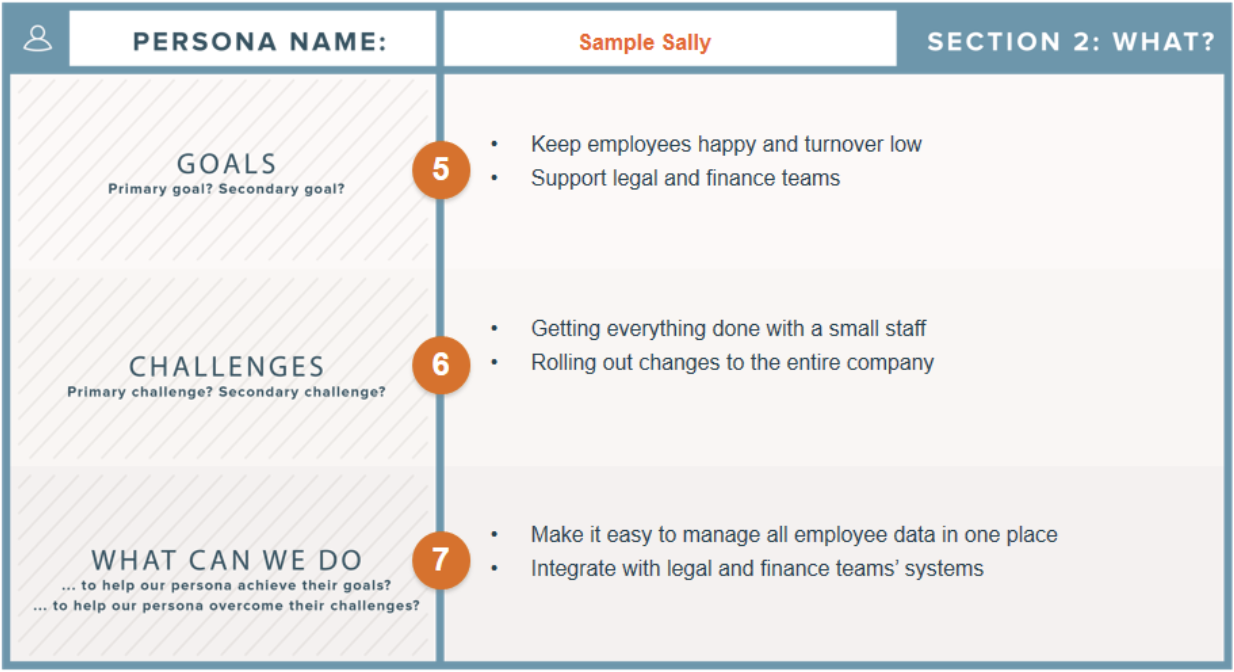
For example, if you own a car wash, most people’s goal is to get their car cleaned quickly and within budget. Your marketing captions should reflect this. Try “5-minute car wash that REALLY cleans!” or “5-minute, $5 car washes!”
These may sound like obvious routes to take, but businesses often focus on having the latest cleaning equipment or the best-smelling soap. These features are nice but should only be highlighted if your audience cares about them.
Now, consider a restaurant. If your captions mainly emphasize cheap food, that might not be what your target market values most. They might prefer fresh, organic, or farm-to-table options.
This highlights the importance of a pain points and goals list. While budget may be a concern for many restaurant customers, if it’s not important to YOUR audience, it’s ineffective to focus on it.
Make sure to create a thorough list of pain points and goals relevant to your audience. If you need help, check out our target marketing example.
You can always hire us to manage your digital marketing campaigns for you from top to bottom, Contact us today to get your free proposal.
Make Your Captions Concise
When writing captions, consider the medium. Some platforms require longer captions, while others, like Google Ads, have character limits. Focusing on conciseness means including only what’s necessary.
Once you’ve crafted your caption with your customer in mind, review it to eliminate wordiness. Ask yourself, “What can I remove while keeping the message clear?”
For example, “5-minute, $5 car washes!” is concise and communicates the message effectively. There’s no need to say, “You can get car washes that take 5 minutes and cost $5!”
People have shorter attention spans, so get to the point quickly. So make your captions concise wherever possible.

Want to find out more about Google ads and writing your ad copy, try our Google ads for beginners guide.
Practice Good Writing
At a minimum, your captions must be coherent. When we onboard new clients, we evaluate their past marketing efforts, including the captions they have used.
We often find that business owners rely on run-on sentences and poor grammar in their captions. While we’re not suggesting captions need to be perfect or meet college essay standards, we recommend the opposite—they just need to make sense.
Long paragraphs can make it harder for readers to understand your message. To improve clarity, eliminate unnecessary wordiness, and review your captions again with a critical eye.
One free resource that can help with this is the Hemingway app.
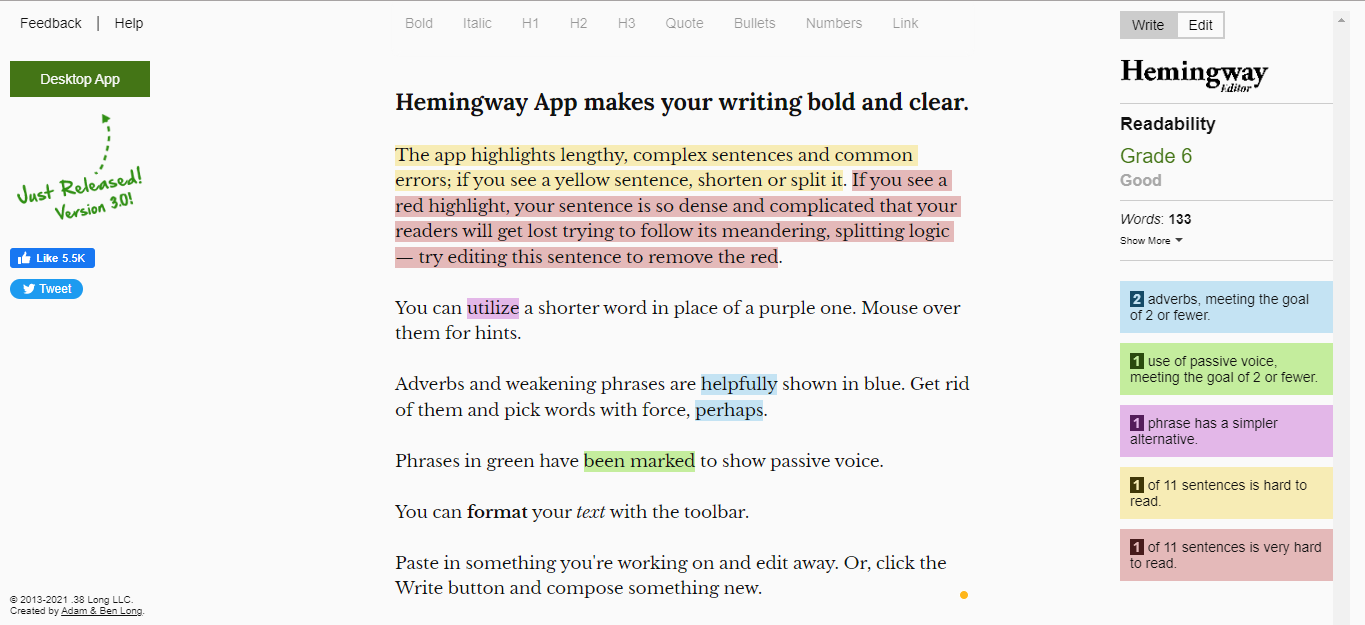
It’s a website where you can copy and paste your captions, and it will provide editing suggestions to enhance the boldness and clarity of your writing. In the upper right corner, you’ll find a Readability grade.
This goes back to the point we started to make about NOT meeting college essay standards. Most businesses should aim for a lower reading level to ensure their captions are easier for a wider audience to understand.
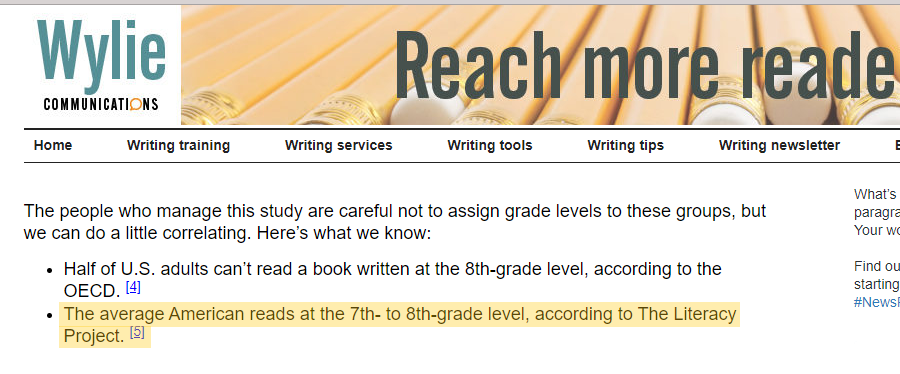
The Literacy Project reports that the average American reads at a 7th- to 8th-grade level.
How Does It Help
The Hemingway app helps you break up run-on or compound sentences into simple ones, ensuring your copy is easy to read. While this tool is useful, it may not apply to all businesses.
For example, we once had a client whose target audience included doctors and scientists, so we didn’t aim for a 7th-grade reading level in that case.
We trust you know your business and audience well enough to determine if this standard is suitable for you. But again, the 7th-8th grade is the average reading level.
We do find that most small businesses can adjust their marketing strategy to meet that level without issues.
It’s important to remember that your captions don’t need to be perfect all the time.
For instance, “5-minute, $5 car washes” is a fragment; it lacks a complete subject and verb. But it makes sense and it gets the point across quickly.
If your brand voice includes emojis, feel free to use them in your Instagram captions, even if it means sacrificing perfect grammar.

The goal isn’t to make your captions sound robotic or overly formal, as if graded by a college professor. They only need to make sense. If your captions are lengthy, the Hemingway app can help shorten them.
Clarity Of Message
We previously discussed the importance of clear sentences, but this tip focuses on the overall clarity of your message.
You want your message to be very clear to your audience.
Many business owners make the mistake of prioritizing clever or “cutesy” phrases over clear communication in their websites and advertisements.
For instance, if you visit a website and see phrases like “Achieve your dreams!” or “Today is the day” in large letters, it doesn’t inform you about the type of business or what they offer.
It leaves you wondering who they help and what services they provide.
 Don’t compromise the clarity of the message for cutesy or clever phrases. Some may argue, “But look at Nike! They can simply say, ‘Just do it,’ and we know exactly what brand it is.”
That’s true, but Nike has established its brand identity over time. Small businesses don’t have that luxury yet, as most people are unfamiliar with the brand.
So make sure your offer is as clear and relevant to your target customer as possible.
Follow A Successful Format
For writing captions, there is a recipe for sales that any business can follow. It goes like this: hook, value, CTA.
When writing captions, there’s a simple formula that any business can use: hook, value, CTA.
Start with a hook to grab attention. If your introduction doesn’t catch the reader’s eye, the rest of your caption won’t matter. You can hook your audience by:
- Sharing surprising information that resonates with them.
- Asking a question that addresses their goals or pain points.
- Presenting their ultimate goal right away, such as showing a before-and-after image.
Once you have their attention, deliver the promised value and end with a clear call to action (CTA). Tell your audience what you want them to do next.
Should they follow you on Instagram, fill out a contact form, or shop on your website?
Regardless of your industry, this basic formula can help you drive more sales with your captions.
Need more assistance with your content? Check out our content marketing services today.
Instagram Captions FAQs
How do I format Instagram captions?
To format Instagram captions:
- Type your caption in the designated caption area.
- To add a line break, press the Enter or Return key.
- If you want to start a new paragraph, add a symbol (like a dash or asterisk) on the next line.
- Press Enter or Return again, then begin typing your next paragraph.
How is a good caption written?
A good caption can be written following these 9 steps:
- Write Several Drafts
- Start Strong to Capture Interest
- Use Contextual Captions For Engagement
- Make Your Captions Stand Out Using Emojis
- Use Hashtags
- Include A Call To Action
- Know Your Audience
- Keep It Short And Concise
- Proofread And Edit
What are caption writing examples?
Here are some examples of effective Instagram captions:
- Short and Sweet: “Less is more. 🌿 #HomeDecor” – Simple captions work well with striking images to prompt engagement.
- Storytelling: “Meet our star product, loved for its gentle formula! Here’s how it transformed Maria’s skin. 💖” – Longer captions can share personal stories or details about the product.
- Informal Tone: “I’m not bossy; I just know what you should do. 😉” – Bold, humorous captions can resonate with followers when they align with your brand’s voice.
How to write content for Instagram?
To write effective content for Instagram, start with a catchy hook to grab attention, and focus on your audience’s interests and pain points. Use clear language, add emojis for engagement, and end with a call to action to encourage interaction.
Other Instagram Tutorial Resources
- The Instagram Bio Link Is NOT What You Should Be Using (Here’s What Is)
- How to Promote Your Instagram Page for Greater Brand Awareness
- How Do Instagram Promotions Work & How Will They Help?
- How to Change Instagram Username: 3 Things to Keep in Mind
- How to Instagram DM – Start Using it to Your Business’s Benefit
- IGTV for Small Businesses: The Complete How-To Guide
- How To Get Verified On Instagram: A Complete Guide On Instagram Verification

