




What customers say about your business matters more than what you say, even if your services are awesome and your message is honest. That’s why reviews are immensely important for the success of your business.
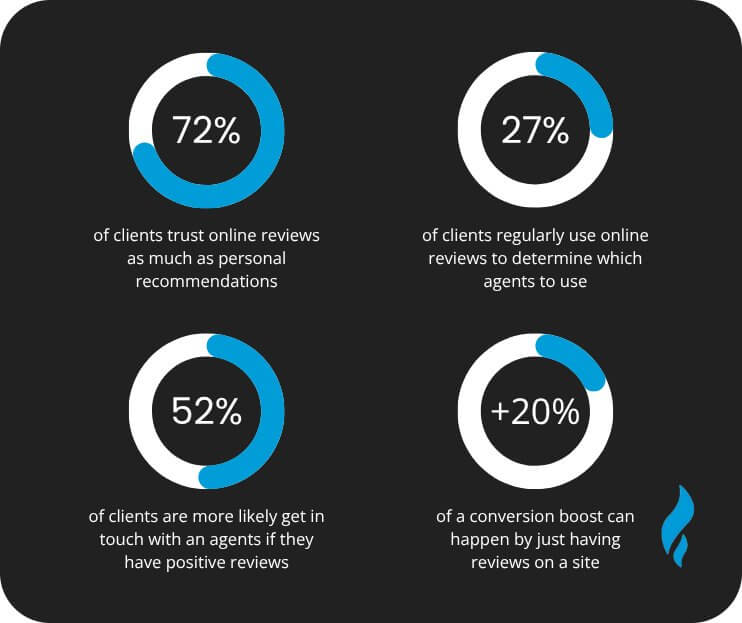
84% of people trust online reviews as much as they would trust a recommendation from family or friends. Google knows this fact, and it takes into account the number and quality of reviews in its local search rankings.
Google reviews help you attract new customers by improving both your reputation and your search ranking. We have 16 proven ways to get reviews online. If you want to improve your visibility, trust, and sales, these tips will help.
Benefits Of Google Business Reviews
Google reviews are quick to leave but offer long-term value. The more reviews you collect, the more you can achieve for your business. If you haven’t made Google reviews a priority in your local marketing yet, now’s the time. Here are some key stats to show why they matter:
More Reviews Mean More Leads
88% of consumers trust online reviews as much as personal recommendations. The more reviews you have, the more likely someone is to choose your business when they find it on Google.
Positive Reviews Bring More Purchases
Customers read at least 10 reviews before deciding to buy. The more Google reviews you have, the more confident they feel, and the more likely they are to buy from your online business.
Higher Reviews Better Rank
More positive reviews help you rank higher in local search. Google has confirmed that frequent, high-quality reviews are a key factor in local SEO.
Good Reviews, Free Exposure
Leaving and responding to reviews is free, and they are one of the best types of online marketing. Positive reviews on your Google Business Profile act as free business advertising on one of the most trusted platforms.
Initial Requirements For Getting Google Reviews
You need to have a few things straight up before getting reviews on Google.
Understand Google’s Policies
You need to understand and follow Google’s review policies. Don’t offer rewards, and only ask for feedback after confirming the customer had a good experience.
Create Google Business Profile
You need to have a Google Business Profile where customers can leave reviews. This means you need to list your business as a Place on Google Maps.
Get Your Google Business Profile Verified
Just creating a listing on Google Maps isn’t enough. You need to set up a Google Business account and verify ownership. This step is essential for using the review strategies and responding to and managing incoming reviews.
How To Get More Google Reviews
Now that you understand how Google reviews affect your reputation and ranking, and have a verified Business Profile, it’s time to start getting reviews. Use these 16 strategies to make it happen.
1. Understand The Process
Writing a Google review only takes a minute, but getting there can be a hassle if you don’t know the process. The steps include:
- Opening Google Maps
- Searching for your business
- Clicking your listing
- Scroll to the reviews section
- Click “Write a review”
Now imagine a customer says: “You’ve been great! How can I leave a review?”
Instead of asking them to search your business on Google Maps and scroll down to the review section to leave a review, you should ask them, “Visit our website, we have a direct link there to leave a review.”
It is much faster and easier. Make it simple for your customers.
2. Create Google Review Link Shortcut
You need to create a shortcut link to put on your website. The best part is that you can share it directly with customers as well, making it easier for them to leave a review.
Here is how to do it:
- Open your Google My Business account
- Navigate to the Home Tab and look for “Get your first review” or “Get more reviews”.
- Click on “Share review form” to copy your link.
3. Shorten Your Review Link
You can easily add your Google review link to a button or short anchor text on your website. But for sharing the direct link, the full link is too long and looks messy. You can use a free tool like Bitly to shorten and customize the link, making it easier to share anywhere.
Now that you have a short review link, here are some effective ways to share it with customers and start getting more Google reviews for your business.
4. Add Google Review Link To Your Website
When someone wants to leave a review, your website is the first place they’ll check. Make it easy with a clear, simple call to action.
For example, use a CTA (call to action) button: “Leave A Review” and hyperlink your Google Review page. This will take them straight to your Google Business Profile review section.
5. Create A Google Reviews Page On Your Website
Add a dedicated reviews page on your website, linked in your main menu. You can showcase existing reviews and add a CTA to leave new ones. This builds trust with new visitors and encourages current customers to leave reviews.
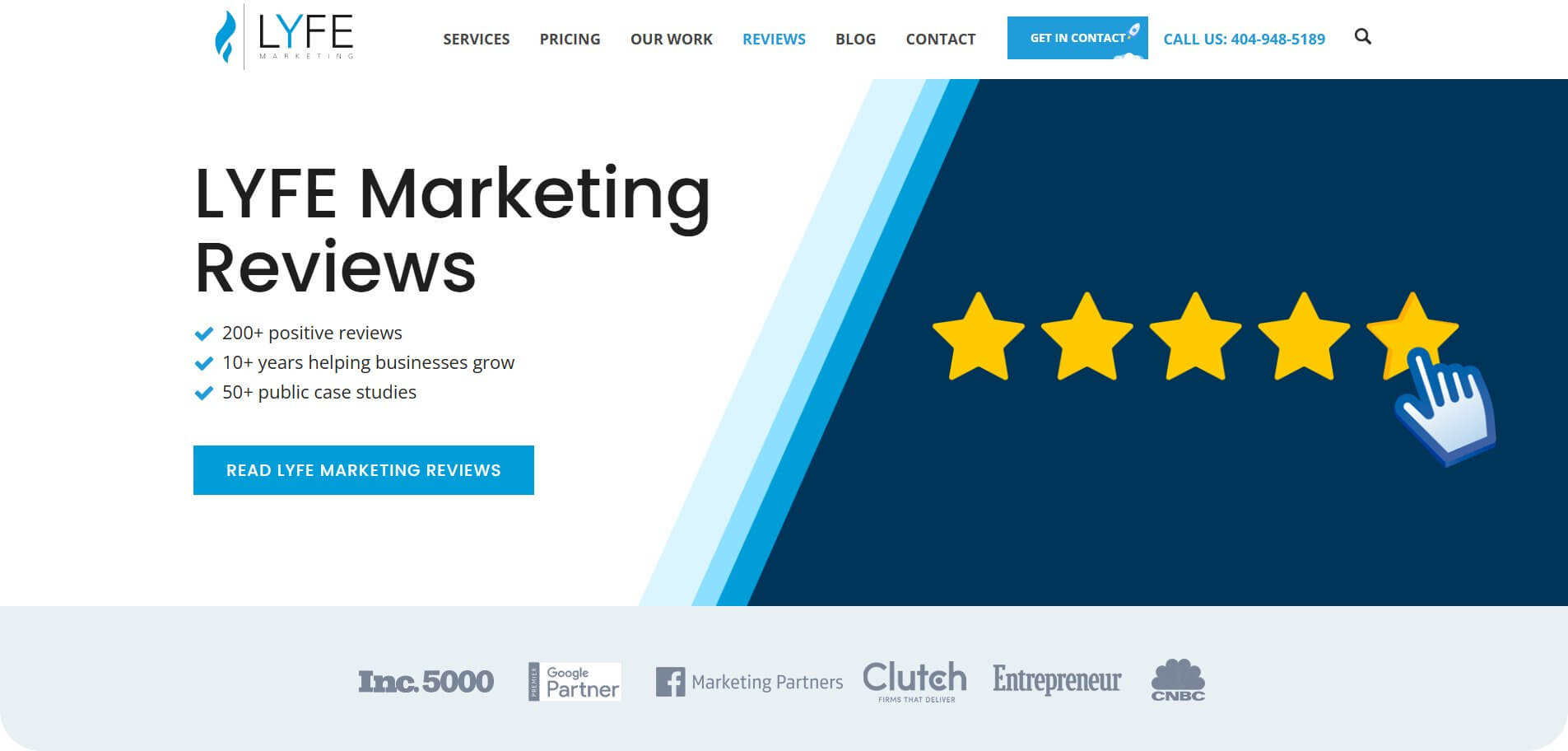
You can use screenshots on your reviews page, but text is the choice because it includes keywords, which improves SEO. When Google can read your reviews, it improves your chances of ranking higher in search.
You can also use tools or plugins that automatically pull Google reviews onto your website or create a simple template where you can paste review text.
6. Add A Google Review CTA In Your Footer
If possible, add your Google review link to the website footer to avoid deciding where to place the CTA. You can attach the link to anchor text or an image, as both work well.
7. Create “Leave Us A Review” Cards
You can create visually appealing digital cards, add the review link to them, and share them with satisfied customers to ask for a review. They keep things a bit formal and engage the audience as well.
8. Ask For Google Reviews In Person
When you have a great chat with a customer in your store or wrap up a helpful support call, these moments are perfect for asking for a Google review. You can print the digital cards we discussed earlier and share them here as well.
9. Let Customers Know It’s Quick And Easy
Leaving a Google review takes less than a minute, but your customers might not know this. Some people aren’t sure what to write, even if they’ve had a great experience. You need to remind them that it’s fast and simple a little motivation can help a lot.
You can let them know they can leave just a star rating without any text. If they do want to write something, one or two short sentences are enough.
10. Run An Email Campaign For Google Review
Emails are a simple and effective way to get more Google reviews, whether through a personal message or a general campaign. You need to be direct in your ask and don’t over-explain or pressure anyone.
If customers are happy, many will gladly leave a review. Just make sure the steps are clear and easy to follow.
11. Add A Google Review Request To Your Surveys
When you ask your customers about their feedback, they feel valued. They feel you have their best interest at heart and their opinion matters. When someone agrees to give feedback, you can ask for a Google review in there.
12. Ask For Reviews On Social Media
You can use social platforms to get reviews. Share a great review as an example, and ask for clients who haven’t yet left a review. Remember to include your Google review link.
This will let your followers know that their feedback helps others find and trust your business. Platforms like Facebook have their review tools, so you can tailor your message accordingly there.
13. Ask Vendors And Partners For Reviews
Even if they aren’t customers, vendors and partners can still speak to their experience of working with you. You can write a review for their business first. They may return the favor.
14. Respond To Your Existing Google Reviews
You should respond to Google reviews to show potential customers that you value feedback. This will encourage existing clients to leave reviews. Here is how you can respond to get more reviews:
Positive Reviews
You should respond to positive reviews quickly and thank the reviewer. Try to mention something specific to encourage others to leave reviews.
Negative Reviews
For negative reviews, keep a polite tone and try to address their issue. If handled well, reviewers may update their review to a positive one.
15. Make a Quick Google Review How-To Video
Some customers need to see how it’s done. You can create a short video showing them how to leave a Google review, and you don’t need to be fancy. Just be clear and simple, and record from your phone or computer.
16. Add Your Google Review Link To Your Email Signature
You can include your review link in your email signature. It is a simple and passive way to get more reviews and works well if you email clients regularly. Use short, direct lines like:
- Happy with [Business Name]? Leave a review here.
- Let others know about [Your Business Name].
- Have we helped you? Leave a quick Google review.
Examples Of Asking For Google Customer Reviews
Not sure how to ask for a Google review? Here are a few simple phrases that top social media agencies use that work:
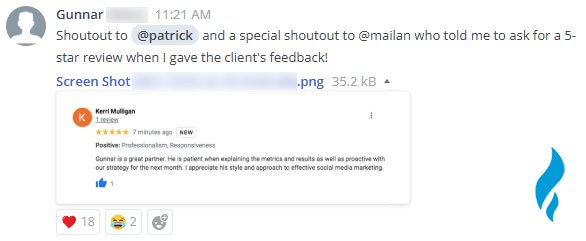
- Your feedback will help others find us. If you have a minute, please leave a quick review on Google.
- Got 60 seconds? Share your experience with us on Google.
- Thanks for choosing us! Let us know how we did with a short Google review.
- Help us keep improving. Leave a quick review on Google.
- A short review on Google helps others find the support they need.
How To Leave Google Reviews
It helps to know the full process for leaving a Google review. This way, you’re covered if the link doesn’t work or if you want to support another local business that doesn’t have one. Here’s how to do it:
How To Leave Google Reviews On Mobile
- Open the Google Maps app.
- Search for the business name.
- Tap the business listing.
- Go to the “Reviews” tab.
- In the “Rate and review” section, choose a star rating.
- After selecting the stars, you’ll be able to write (it’s skipable) and submit your review.
How To Leave Google Reviews On Desktop
- Go to Google Maps.
- Search for the business.
- Click on the business listing.
- Scroll to the “Review summary” section.
- Click “Write a review” to rate and share your feedback.
Our Secret To Getting Reviews Online And Building Your Reputation
There are only two types of customers. There are the ones who are satisfied with your business and will recommend you to others. Then there are those who had a bad experience with your company.
The latter are more likely to express their frustrations in the form of an online review.
Let’s look at how to get reviews from those satisfied customers and how to deal with those not-so-satisfied customers.
You can get online reviews on different online advertising platforms like Facebook, Google, Yelp, the list goes on. It is important to get reviews on a variety of platforms and not just focus on one.
You want to make sure you cover all your bases. Customers who are looking at Google reviews may not look at your Facebook or Yelp reviews, and vice versa. This will also help your SEO. The more places your business is listed on the internet, the better.
Google is generally the review site of choice, which is great because these appear on your Google My Business page.
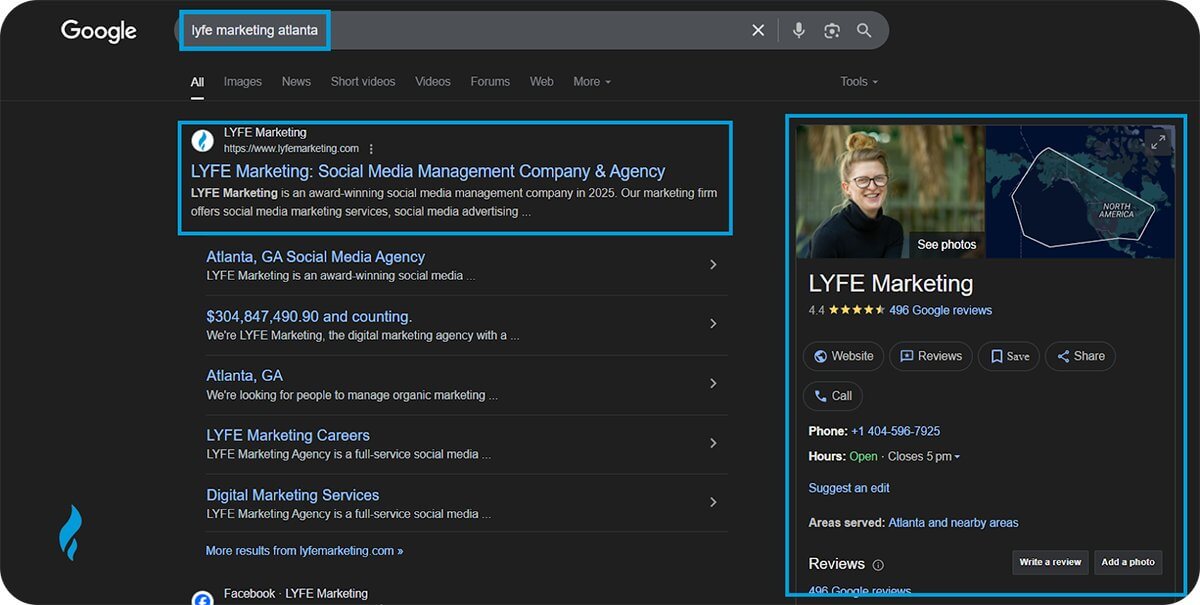
Google My Business is a free service that displays your business name, address, phone number, and more to potential customers.
Customers will quickly see your star rating. It’s important to have a Google My Business for several reasons.
First, it displays your business information to customers so that they can know when you close or how to contact you. It also improves your chances of showing up in “near me” searches thanks to local SEO.
Getting online reviews can also help you move up in the search engine rankings.
Ask For Reviews
68% of people will form an opinion of your business after reading anywhere between 1 and 6 reviews. You need to encourage your customers to leave reviews. And as a business, you need to monitor those reviews.
You should also be able to improve the negative reviews that you will inevitably receive. If you find this task to be too menial or you don’t like confrontation, then just hire a social media management agency to do reputation management for you.
This strategy will help your business become even more successful.
Want to know LYFE Marketing’s secret to getting online reviews? Obviously, it starts with having good customer service, but what about afterwards? How do you get reviews from customers?
Just ask. And do it promptly. Don’t be awkward. You are essentially asking your customers for feedback that will contribute to the growth of your business.
There’s no harm in that. In fact, more businesses should be doing this. Timing is everything here. Before you ask for a good review, ask yourself these questions:
- Has this customer had a good experience with your company?
- Have they recently complimented your business or services?
- Have you worked closely with them?
If they are likely to give you a good review, ask away! If there is any doubt in your mind that they might give you a mediocre or bad review, wait. You want to establish a good relationship with them before you go asking for any favors.
Bottom line is, if you ask a customer who has had a good experience to give you a review, they will more than likely be happy to give you one!
Make sure you don’t just ask for “a review.” Ask for a 5-star review. Remember to be polite like this – “Would you mind leaving us a 5-star review on Google?”
It’s important to be specific about which platform you would like them to leave a review on. For example, if you own a restaurant, you probably want reviews on platforms like Yelp or OpenTable, so make sure that is clear to your customers.
Send Personalized Email
Don’t want to ask your customers straight up? Or maybe your company is too big to go around to each customer asking for reviews. Emailing customers to ask for reviews is an easy way to quickly get reviews.
This makes it easy for people to click a link and go straight to leaving you a review. Email marketing is already immensely important for the growth of your business, so why not use it to get reviews?
Once customers make a purchase on your site and their product has been delivered to them, you can send a follow-up email asking for their experience. Ask them to rate your product, but also tell you if they had any issues with delivery.
This way, you can make adjustments if needed. You can also end your emails with something simple like “Be sure to leave us a review on Facebook!”
This way, you aren’t directly asking and you won’t seem pushy, but you’re still putting the idea in their head.
Nordstrom sends an automated email of the product you have purchased and makes it easy to give the product a review. You can set up similar automations for your eCommerce email marketing efforts.
If you are sending emails, make sure your call to action is clear and bold. The CTA in this email is “Review Now” and takes the customer straight to the review page. Make it as easy as possible for your customers.
If you are asking for a favor, you need to do all the heavy lifting. If a customer doesn’t know where to leave a review or has to search for it, then they will be less likely to follow through.
Offer Something In Return For Their Reviews
If you are having trouble getting reviews from customers, try offering an incentive such as a coupon in exchange for a review. If you do this, there are a few things you will need to keep in mind.
The first is cost. If you offer free stuff or a discount, you will want to make sure you have a budget. You can offer this discount for a limited time or only tell customers on one channel.
Don’t post on every social media channel and email your customers. It will seem like you are fishing for reviews. You don’t want people thinking you are trying to buy these from your customers.
That’s not how you get reviews. You want honest reviews from people who want to give them to you. If you have a brick-and-mortar store, you can offer discounts in person in exchange for reviews.
For example, if you own a gym, you could have a sign that says, “Leave us a review after your first class and receive a class for free!” You want to make sure people have had that experience first before they give you a review.
You can then share these with other customers to increase online sales or memberships. Or if you are a big company like JCPenney, you can run a contest.
They don’t just ask for a review. They ask if you love the item you purchased, and if so, to let them know! Coming up with clever copy can make customers more inclined to give you a review.
Get Reviews on Facebook
Everyone has a Facebook account these days. There are more than 3 billion active Facebook users, which is why, in online business marketing, it is so important to get reviews on Facebook.
A new feature on Facebook also displays your star rating in search results when users search for your business or businesses like yours. Star rating is a huge factor because the majority of people do not trust a star rating below a 4.
When a customer writes you a good review on Facebook, they are telling people that they loved your business and are advertising your company to their network of friends.
If you ask to get reviews on Facebook, people will more than likely already have an account, as opposed to sites like Yelp, where they might have to create an account before they can leave you a review.
You can also ask for reviews in your Facebook posts. Maybe you recently had a big event or sale. Post about it and ask your customers what they purchased and to share their thoughts with you.
This is a great way to encourage feedback and get reviews!
Getting Reviews Online
Angie’s List and Yelp are two review sites that are ideal for businesses that offer a service, such as restaurants or house cleaning services.
Yelp requires you to log in to your account to write a review. This can be a downside, as not everyone has a Yelp account. But you do not have to sign up in order to see reviews.
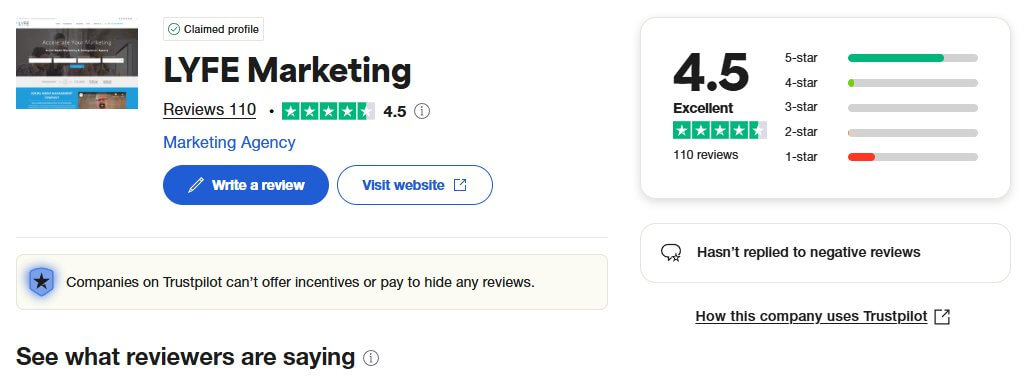
LYFE Marketing’s Trustpilot page
The same is true with Angie’s List. Taking the time to create accounts on these platforms may deter people from signing up and giving you a review, so make sure that you have options for them!
Tell your customers you would love a review on Angie’s List or Google. This way, they have options and can choose whichever is easiest for them.
Some other great platforms you may not know about include ModernComment, Get Five Stars, and Trustpilot. ModernComment is a service that sends a feedback link to your customers.
After they take the survey, it is turned into a recommendation that they can post on social media. You can then respond to feedback and easily monitor what your customers are saying about you.
Get Five Stars allows you to add these reviews and recommendations directly to your website for other visitors to see. Another service that is growing quickly is Trustpilot. Anyone can write a review on this platform.
They can also help encourage reviews by sending automated emails to your customers and offering in-depth analytics so that you can grow your business. It’s imperative that you get reviews on at least one of these sites, but adding additional ones is beneficial to your business.
You will want to choose the review sites that are appropriate for your business. If you are in the restaurant industry, then sites like Yelp will be great in addition to Google and Facebook reviews.
If you’re a cleaning service, you will want to be on platforms like Angie’s List. Know your audience and know where they go for their information.
How To Deal With Getting Bad Reviews
Now that you’ve learned how to get good reviews, it’s time to talk about how to deal with bad reviews. 94% of people say that a negative review they have read online has convinced them to completely avoid a business.
When it comes to leaving reviews, people are more likely to vent about their bad experiences than their good ones. There’s no question that you will get reviews that are bad.
It’s just the way it works, so it’s in your best interest to learn how to handle negative reviews. We’ve made it easy for you. Follow the 5 simple steps below, or contact our team of experts for help.
Step 1: Monitor Your Reviews
Yes, you need to read your reviews because you need to reply to them regularly. Don’t worry, you won’t need to reply to every single one.
It’s a good idea to make sure that the people reviewing your company are legitimate and people with whom you have done business. At LYFE Marketing, we read, monitor, and respond to your reviews for you every day.
Step 2: Read Carefully
Don’t start fuming once you read a review for the first time and write an outrageous response. Take some time to process. Not so much time that you forget to respond.
Take enough time for a calm and collected response that will be seen by outsiders as a well-thought-out response and not one written in rage.
This owner did not think through his response. If you take to responding in this way, your business is not going to survive.
Not only do people see reviews left for your business, but they also see the way you, as a business owner, respond. Treat customers like people, even if they bash your business.
Step 3: Create Responses
Yes, some reviews are going to be bad, but don’t try and bury them with good reviews. See how you can respond to these unsatisfied customers. It helps to create a list of generic replies that you can easily edit or expand on.
These should be open and transparent as well as polite and helpful.
Step 4: Reply
If you receive good reviews, reply with a simple message like “We’re glad you had a great experience. We hope to work with you again!” But you will inevitably get reviews that aren’t so great.
Not only should you respond to negative reviews, but you should do so in a timely manner. 53% of customers expect companies to reply to their negative reviews and to do so within a week.
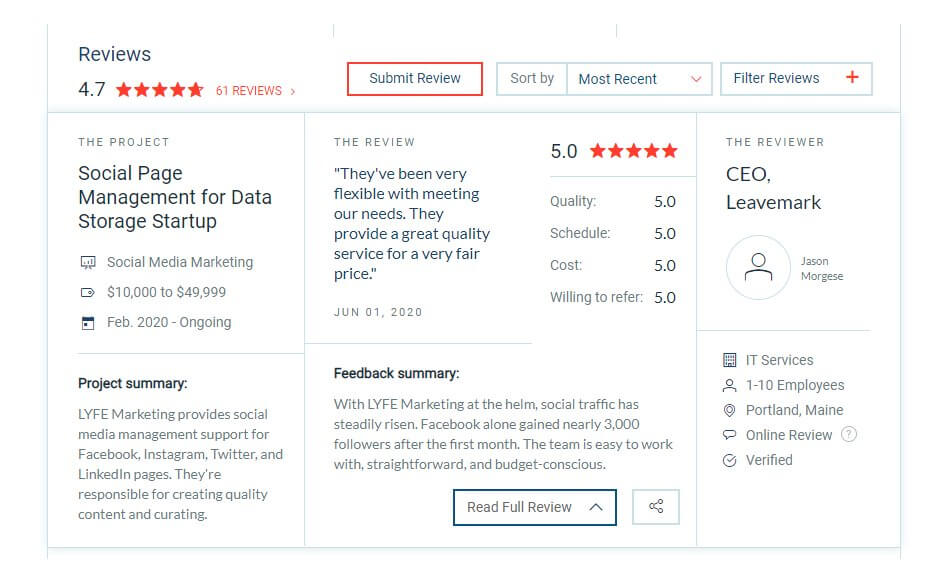
One of LYFE Marketing’s client reviews on Clutch
Types Of Bad Reviews
There are three types of bad reviews you need to look out for.
1. Clients Who Had A Bad Experience
You know how it feels to have a bad experience and have no one make an effort to try and fix it. It’s frustrating and might make you swear off a business for good.
Put yourself in your customer’s shoes. What would you like to hear from a business? This customer’s review is not specific, but nonetheless should be addressed.
The owner does a great job apologizing and extending the offer to make things right. This response is polite, well written, and encouraging.
2. Wrong Company Reviews
Yes, this happens (probably more often than you think)! You still need to respond and remember to be polite. A random customer left a one-star review for Manhattan Kayak Co.
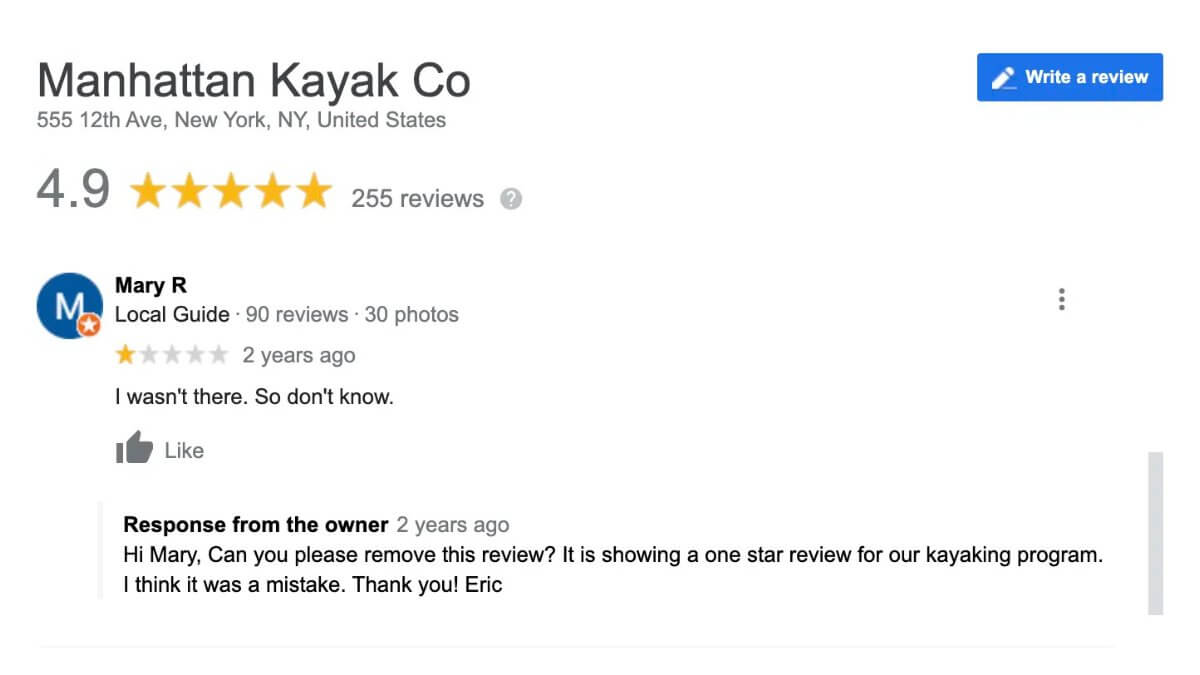
The business owner politely asked them to remove the review, pointing out that it was mistakenly left for their kayaking program. Since the reviewer didn’t dispute it, this shows that the review was left by mistake.
3. There’s The Scammer
These are people whom you have never done business with who are leaving bad reviews. Sometimes it’s a prank, out of malice, or it’s a competitor. Google will remove these reviews if they seem suspicious. Or you can report them.
This is why you need to frequently monitor your reviews on every platform. Bad ones like this can hurt your business. This business owner caught a fake review and replied to it, making it known to customers that they should not trust this review.
You can also report suspicious reviews to Google so that they can look into the users who have posted them.
Responding to Bad Reviews
Sometimes it can be difficult to think of a polite response to someone outraged at your company. That’s why choosing to outsource reputation management is sometimes the best idea.
But if you want to keep it in-house, we can help with an online reputation management strategy guide.
Here are some online marketing tips for crafting a good response to a bad review.
- Admit that you have made a mistake and be transparent.
- Don’t hide. No business is perfect, and customers understand this.
- Let them know that there are people behind your brand who are working hard to make sure that every customer is satisfied.
Simply Apologize
If you say you are sorry that your customer had a bad experience, they will feel validated. Do not try to dismiss them or say that this could never have happened at your business. Even the best online marketing businesses admit their mistakes at times.
If other customers see a review that you or your business has replied to that is unapologetic, they are going to form an opinion that your company does not put their customers first.
Stress that this isn’t the norm for your business. You can let your customers know, “This is not business as usual, and we strive to deliver a high-quality experience to all of our customers.”
Offer The Customer A Solution
Sometimes, online advertising businesses promote products online with free giveaways or a discount to disgruntled customers. Be careful here. You want to send a private message to offer your discount or coupon.
Other customers may see that you offered a coupon and start leaving bad reviews just to get free stuff. You can ask them to send you an email with more details so that you can handle the situation directly and then make the offer.
If you have a brick-and-mortar store, tell them to speak with someone who is on site, like a manager, if they have any other problems. This gives them an actual human being to speak with in person.
They can then offer an in-store coupon or credit.
Invite Them To Try Your Business Again
Invite your customers back for a second try, and then make sure you turn their bad first impression into a great second impression. Most importantly, be nice. Even if you are having the worst day ever.
When it comes to running a business, you have to remember that customer service is important 24 hours a day, 7 days a week.
For example, if you own a pizza restaurant and a customer was served cold pizza, you should respond with something like:
“We are so sorry your pizza was not up to par! This is not how we normally serve pizza to our customers. We would love it if you would come back and try our pizza again!
If you have any problems with your next in-store visit, please speak directly with our manager, Tom. He will be happy to assist you! If you have any other questions, comments, or concerns, please reach out to us at pizza@gmail.com.”
This is a great response to a frustrated customer. The owner says that he understands how the customer is feeling and sincerely apologizes and offers a solution to make sure the customer leaves feeling satisfied.
Get Exclusive Marketing Tips!
Join over 50,000 marketers who get exclusive marketing tips that we only share with our subscribers.
SIGN-UP
If you successfully fix the problem and win back your customer, you may have a chance to get a better review from them in the future.
Step 5: Continue to Monitor
We cannot stress how important it is to make sure you are monitoring your reviews on an ongoing basis. You will be able to thank customers for their good reviews and address issues that arise from bad experiences with your business.
It can be challenging to get reviews from your customers. It all starts with great customer service! But you have to continue to put in effort after a purchase is made if you want to get reviews.
Reviews can make or break your business, so remember to monitor the reviews you receive on all platforms and respond to the good as well as the negative. Responding to all of the reviews you receive can be time-consuming and tedious work.
Let the professionals at LYFE Marketing help you craft responses that will keep your customers coming back time after time!
Do you have any other tips you want to share for business owners dealing with a poor customer experience? Share them with us in the comments below.
How To Get More Google Reviews FAQs
How do I get Google reviews easily?
To get Google reviews, easily ask satisfied customers directly for reviews via text, email, or social media. You should make the process quick and simple for customers by sharing the review link directly.
How much does it cost for Google reviews?
Google reviews are free! All it takes is asking satisfied customers and sharing a link to leave a review. Paying for reviews is against the policies of Google and can get your business penalized.
How do I request for a Google review?
Request a Google review by sharing a direct link through email, social posts, or a QR code. Do it right after a positive interaction for the best response.
How do I get reviews on my Google account?
You can get reviews on your Google account by creating your Google Business Profile and sharing your review link with customers.

